


Twitter Video Download
4.678.00 Reviews
App Specs
- Version
- 1.1.8
- Updated On
- License
- Free
- Downloads
- 500,000+
- Developer
- Vidmark Inc.
- Categories
- Video Players & Editors
- Platform
- Android
Screenshots


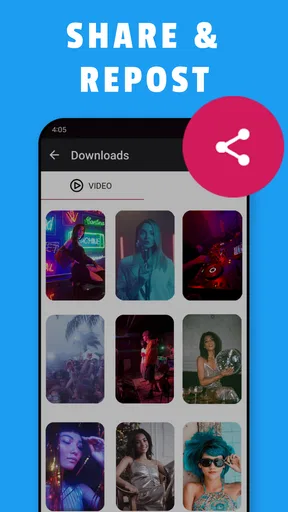
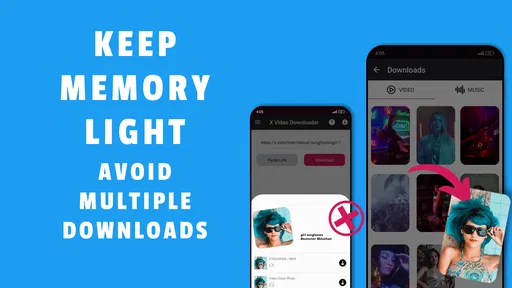
 Analysis by AppCompare
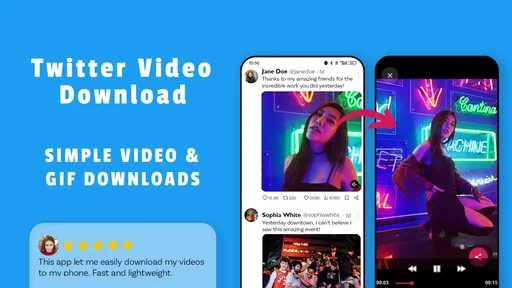
I often come across a clip on X that I want to keep for a trip, a reference, or simply to show someone later. Twitter Video Download is aimed at that narrow, useful task: taking a video or GIF from a post and saving a copy for offline viewing. It is a focused tool rather than a general video editor, so its appeal depends on whether you regularly want to keep social posts outside the feed.
What this downloader is best suited for
The most convincing use case is occasional, practical saving. Maybe a friend shares a clip in a group chat, or you spot a short tutorial while scrolling and want to revisit it when you are away from a reliable connection. Having the file on your phone can make that easier than trying to find the post again. I would also find it handy for collecting a small set of visual references, provided I keep track of where each clip came from.
That last point matters: a saved video can lose the context around it. Before downloading, I recommend noting the creator or keeping the original post accessible, especially if the clip contains a claim, instruction, or newsworthy moment. A file in your gallery is convenient, but it does not automatically preserve captions, replies, or the discussion that explains what you are watching.
Speed depends on more than the button
The basic copy-and-paste workflow is appealing because it avoids a lengthy setup. In day-to-day use, though, the time involved is not just the download itself: you have to locate the post, copy its address, switch apps, and paste it. For a single clip that is a small chore; for a long list, those repeated steps can become the slowest part.
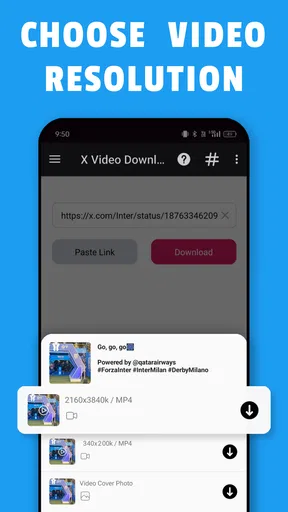
Connection quality and the size or resolution you choose also affect how quickly a file is ready. If you only need to watch a clip on a phone, a smaller option may be the more sensible choice than the highest available quality. It can take up less space and may be quicker to transfer, while a larger version is more appropriate when detail matters. I would treat resolution as a practical choice, not an automatic “highest is best” setting.
Busy sessions and storage trade-offs
Batch downloads are useful when you have several clips to collect, but they can turn a quick task into a storage-management issue. Before queuing a large group, I would check how much space is available and decide which clips are worth keeping in their larger versions. A handful of short videos is easy to overlook; a growing gallery of files is not.
One workable routine is to save only what you expect to use offline, preview it, and remove duplicates or unwanted clips soon afterward. That keeps the gallery from becoming a second, disorganized feed. It also makes it easier to locate the particular video you intended to show someone, rather than scrolling through a pile of downloads.
Worth Reading Before You Choose

EA SPORTS FC Mobile 26 Is a Bigger Football Game, but It Takes Time

Flipboard Shows What News Apps Must Do Beyond the Feed

Switching to Android Auto Means Rethinking Your Driving Routine

Google Calendar Makes a Crowded Week Easier to Manage

Ludo King Makes the Most of the Minutes Between Plans

Baby Panda World Brings Quick Play to Modern Phones, but Its Game Library Feels Busy
If a download does not finish promptly, I would first check the connection and confirm that the post is still available, then try the link again. Copying a tweet URL can be a little fiddly if you select the wrong share option or paste an incomplete address. I would not keep retrying the same link indefinitely; checking the source post is a more useful first step.
Who should choose another option
This app is most attractive to people who want a direct way to save occasional Twitter clips and do not need editing tools. If your main goal is trimming footage, adding captions, assembling a polished video, or organizing a large media archive, a full video editor or a dedicated file manager will be a better fit. Those tools address a different job, even if they involve more setup.
There is also a sensible boundary around what to save and share. A download does not make someone else’s video yours, and a private copy is different from reposting it. I would use saved clips for personal offline viewing or reference, and check the creator’s wishes and the platform’s rules before distributing someone else’s work.
As a free app in the video-player and editing space, Twitter Video Download has a clear, specific purpose. Vidmark Inc. is the developer, and the app is rated for Everyone. It has a 4.3 average from around four thousand ratings and over one hundred thousand installs, which suggests that this kind of simple utility has found an audience. Its current version is 1.1.5, and it is available for devices running Android 5.0 or later. Optional in-app purchases range from $9.99 to $14.99 per item, so I would check what is included before buying anything.
The main comparison is with saving a post inside the social app or using a general downloader. A bookmark is quicker when you only need to find the post again, but it does not give you an offline video file. A general downloader may suit several platforms, yet can add extra menus and choices when all you want is a clip from Twitter. This app’s focused workflow is its advantage, while its narrow scope is also the reason not everyone needs it.
Getting Started with Twitter Video Download
Installation is a breeze—just head over to the Google Play Store or the Apple App Store, search for Twitter Video Download, and hit install. The app is lightweight, so it won't hog your phone's storage, and it runs smoothly without any noticeable lag.
Once installed, the user interface is super intuitive. The developers have done a great job of keeping things simple, so you won’t need a manual to figure it out. Open the app, and you’re greeted with a clean, minimalistic design that puts all the focus on functionality.
How It Works
Using the app is as straightforward as it gets. Here’s a quick rundown of how you can start downloading videos:
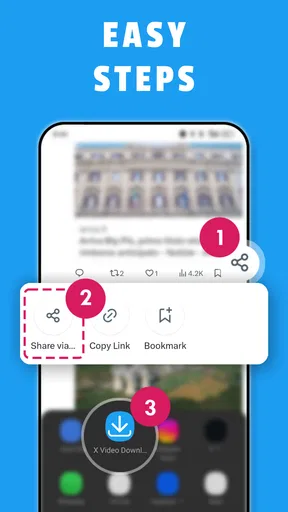
- Open Twitter and find the video you want to download.
- Copy the URL of the tweet containing the video.
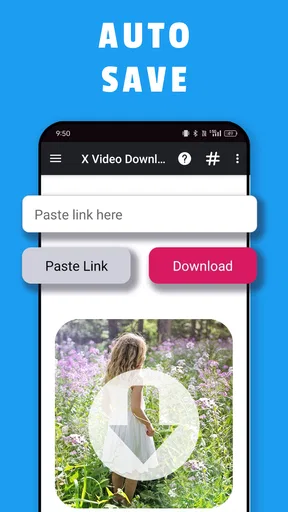
- Paste the URL into the Twitter Video Download app.
- Hit the download button and wait a few seconds.
And that's it! Your video will be saved directly to your phone's gallery, ready for offline viewing or sharing on other platforms. The app supports a variety of video qualities, so you can choose the one that best suits your needs.
Features Worth Mentioning
One feature I particularly appreciate is the option to download videos in different resolutions. Whether you want a high-definition version to showcase on a big screen or a lower resolution to save data, this app has got you covered.
The app also supports batch downloads, which is a blessing if you're someone who likes to hoard videos (guilty as charged!). Instead of downloading them one by one, you can queue up multiple videos and let the app do its thing. Trust me, this feature is a massive time-saver.
Another nifty feature is the built-in video player. It allows you to preview your downloads without having to switch to a different app. This seamless integration makes the whole experience feel complete.
Security and Privacy
In today's digital age, security and privacy are paramount. Thankfully, Twitter Video Download respects user privacy by not requiring any unnecessary permissions. You don't need to log in or provide personal information, which is always a plus in my book. The app operates independently of your Twitter account, ensuring your data remains safe.
Final Thoughts
To wrap things up, the app is a handy tool for anyone who loves collecting videos from Twitter. Its ease of use, combined with robust features like multiple resolution support and batch downloading, make it a standout choice for users across the board.
If you're someone who frequently finds themselves wishing they could save those viral Twitter videos, this app is definitely worth checking out. So go ahead, give it a try, and unlock a new level of Twitter exploration!
Pros
- Simple interface for easy navigation.
- Fast download speeds for quick access.
- Supports multiple video resolutions.
- No login required for use.
- Download videos directly to device storage.
Cons
- Ads can be intrusive and distracting.
- Limited support for some video formats.
- No built-in video player available.
- Requires manual URL entry for downloads.
- Occasional bugs with newer app updates.
FAQs for Twitter Video Download
Is the Twitter Video Download app free to use?
Yes, the Twitter Video Download app is free to download and use. However, it may offer in-app purchases or contain ads to support its development. Users can enjoy the basic features without any cost, but additional functionalities might be available for a fee.
Is it legal to download videos from Twitter using this app?
Downloading videos from Twitter using this app should be done in compliance with Twitter’s terms of service. Users must ensure they have the rights or permission from the content creator to download and use their videos. The app itself provides the tool, but users are responsible for adhering to legal guidelines.
What formats are supported by the Twitter Video Download app?
The app typically supports various video formats, including MP4 and AVI, which are compatible with most devices. Users can select their preferred format before downloading to ensure compatibility with their media players or devices, enhancing the playback experience.
How do I use the Twitter Video Download app to save a video?
To use the app, simply copy the URL of the Twitter video you wish to download and paste it into the app’s interface. From there, select your desired video quality and format, and tap the download button. The video will be saved to your device for offline viewing.
What should I do if the app is not downloading videos?
If the app is not downloading videos, try checking your internet connection and ensure it’s stable. Also, make sure the app is updated to the latest version. If issues persist, consult the app’s help section or contact support for troubleshooting assistance.


